How Paz handles the ongoing work
Agree the commercial priority with a Paz expert. We investigate opportunities and gaps across product-page SEO, AI visibility, content and feeds, make the relevant improvements and track progress against a baseline. Paz owns the agreed work alongside your team or agency.
From signal to shipped change, on every product.
One loop, every channel. Our expert runs it, you see every change.
A signal
Something about one product changed or is missing, on any channel.
- AI answer leaves you out
- Merchant Center disapproval
- Product page losing clicks
Paz reads what is behind it
Your systems, read together, so the decision fits this product in your store.
- Product record
- Feed status
- Your priorities
One of your products
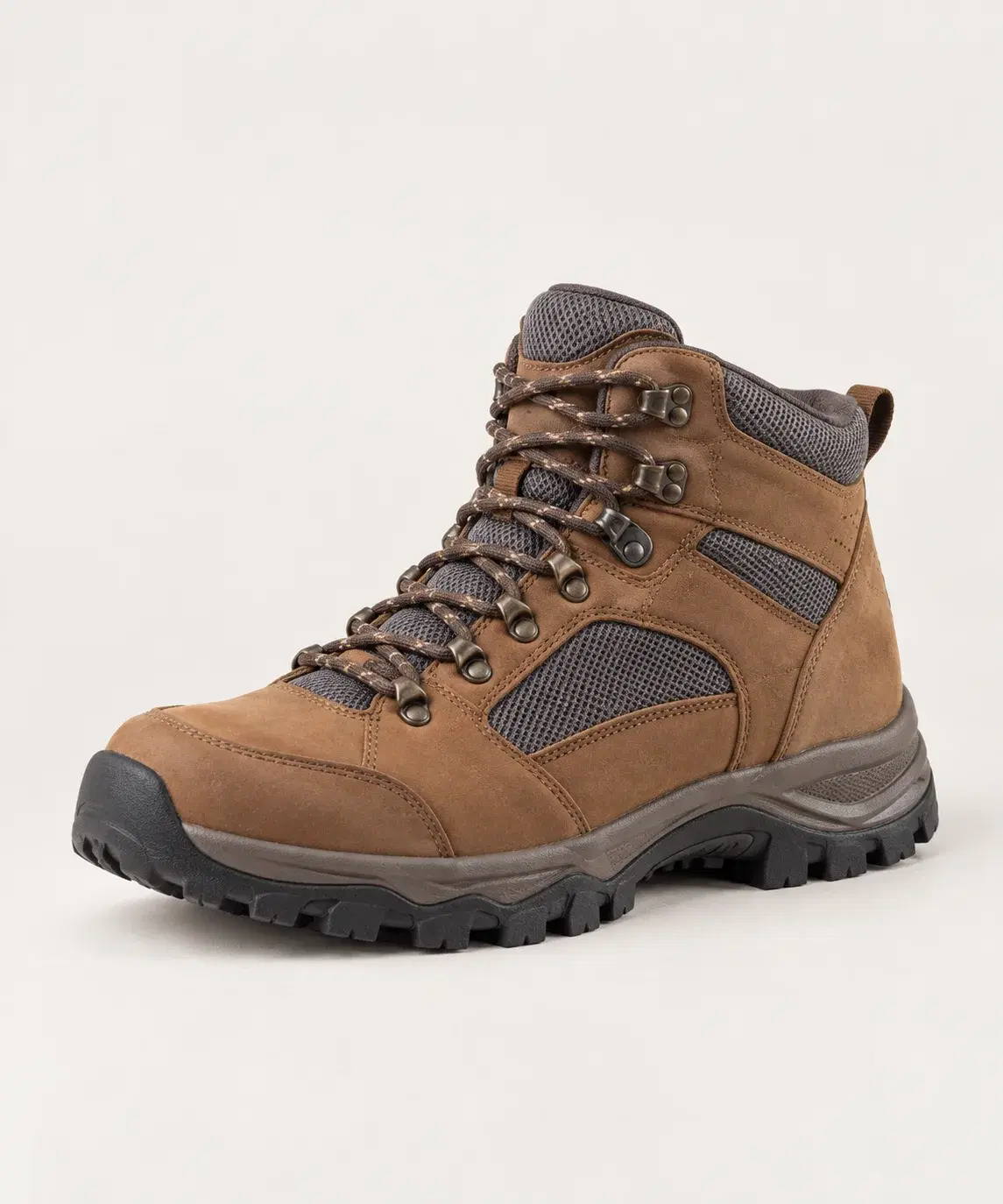
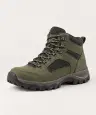
Men’s Wide-Fit Hiking Boot
SKU 48213 · in stock · priority collection
Our expert decides and ships
Within the guidelines you approved. Anything that needs your attention comes to you first.
- Title and description
- Feed fields
- Ad copy
Measured and reported
Checked against the baseline. What happened shapes the next signal.
- Appearances
- Disapprovals cleared
- Full change log
One of your products
Men’s Wide-Fit Hiking Boot
SKU 48213 · in stock · priority collection
A signal
Something about one product changed or is missing, on any channel.
- AI answer leaves you out
- Merchant Center disapproval
- Product page losing clicks
Paz reads what is behind it
Your systems, read together, so the decision fits this product in your store.
- Product record
- Feed status
- Your priorities
Our expert decides and ships
Within the guidelines you approved. Anything that needs your attention comes to you first.
- Title and description
- Feed fields
- Ad copy
Measured and reported
Checked against the baseline. What happened shapes the next signal.
- Appearances
- Disapprovals cleared
- Full change log
Choose where to start
AI visibility
Help shoppers discover your products in AI answers. We track relevant shopping questions, identify gaps and improve the product information behind those answers.
AI visibility →Ecommerce SEO
Help more shoppers find your products through Google. We improve product-page titles, descriptions and content, then track search performance to guide the next changes.
Ecommerce SEO →Product content
Give shoppers the information they need to choose. We complete missing attributes, improve descriptions and answer product questions using your own source information and brand voice.
Product content →Product feeds
Address product-data gaps that affect shopping-channel eligibility. We manage Google Merchant Center data, prioritize data-related disapprovals and correct supported feed fields.
Product feeds →ChatGPT Ads
Get your catalog accepted for ChatGPT product feed ads and keep it serving. We choose the products, clear what blocks them and write the ad copy from your product data. Your media buyer keeps the budget.
ChatGPT Ads →How it works
Our experts use the platform to check findings against your source information and priorities, prepare improvements and follow the results. We work within your approved guidelines and bring exceptions to you for a decision.
01 · Monitor
See what changed, and why it matters
We review findings against your product information and priorities. Example: if a priority product is missing from AI answers, we check stock in your ERP before deciding whether a content update is useful. Products shoppers can buy now may take priority.

02 · Optimize
Proposal review
We check what a finding means for your business before choosing a response. If shoppers ask about wide fit, we verify the fit and available stock before drafting a clearer title. If your sources disagree, we check with you before changing anything.

03 · Ship
Published where you approve, then checked
We publish through supported storefront or Google Merchant Center connections within the guidelines you have approved, and bring anything that needs your attention to you.
The platform behind the work.
The platform brings your product information, priorities and previous decisions into the work.
- 01
Understands your business
Your store, your feed and the systems you connect, plus your buyer personas, priorities and brand voice.

 Shopify
 Merchant Center
 Analytics
 Search ConsoleYour prioritiesBrand voice
 - 02
Detects and investigates changes
If PDP traffic drops, Paz checks relevant connected sources for possible explanations, from search performance to feed issues and availability.
Example investigationChecking- PDP search clicks down
- Check product availability
 Check competitor visibility
- Check for missing fit information
- 03
Our experts decide and act
Our experts check whether missing fit details could explain the decline. If the sources confirm wide fit, we prepare a clearer product title.

Men’s Leather Hiking Boot
Men’s Leather Hiking Boot, Wide Fit
Check fit in source
- Check sources
- Guideline check
- Proposed title
- 04
Measures and learns
We compare subsequent clicks and conversion with the baseline and use those observations to guide the next change for your store.
“Wide Fit” titleExample review periodCompare clicks and conversion with the baseline
- Review
- Did clicks or conversion change?
- Next
- Use findings in future content






Measure and learn
Track results after each change
Compare progress with the baseline for the job: listing issues resolved, appearances in tracked AI answers, search traffic or conversion where tracking is available. See the completed changes separately from subsequent performance. Those observations guide the next decision.
Our experts set up the checks. The platform reruns them.
We set up recurring checks around your priorities. For example: are your travel bags appearing when shoppers ask about carry-on fit? Previous findings, shopper questions and competitor changes inform the next investigation. Checks run on the schedule or supported trigger agreed for the job.
The same gap in a product page can call for different decisions. Before choosing what to do, we look at the product record, how the page has performed since the last change, whether the item is in stock and where it sits in your priorities. A focus collection gets attention before a phase-out range with the same gap.
Your data, your control
Read from your stack, publish where you allow
Start with your PDPs
Start with your PDPs. Add Google Merchant Center, Search Console or Google Analytics for the questions you want to investigate. Then add the systems that decide whether a fix is worth making: your ERP for stock, your support desk and reviews for what shoppers ask, your ad accounts and data warehouse for spend and margin.
You choose what goes live
Set which systems Paz can read and which product updates it can publish. We check source ownership and field mappings, then publish supported changes to your Shopify, Adobe Commerce or Salesforce Commerce catalog, or GMC. Anything that needs your attention comes to you first.
We publish within the guidelines you have approved and bring anything that needs your attention to you.
A good fit
Ecommerce teams with a commercial opportunity or problem to act on: a priority collection missing from shopping answers, data-related listing issues or an unexplained traffic decline. Start with the job and the evidence needed to assess it.
Alongside your existing tools
Paz works alongside your commerce platform, agency and analytics tools.
Put Paz to work for your store.
Tell us where you need help with SEO, AI visibility, product content or feeds. We’ll discuss your priorities and recommend where to start.